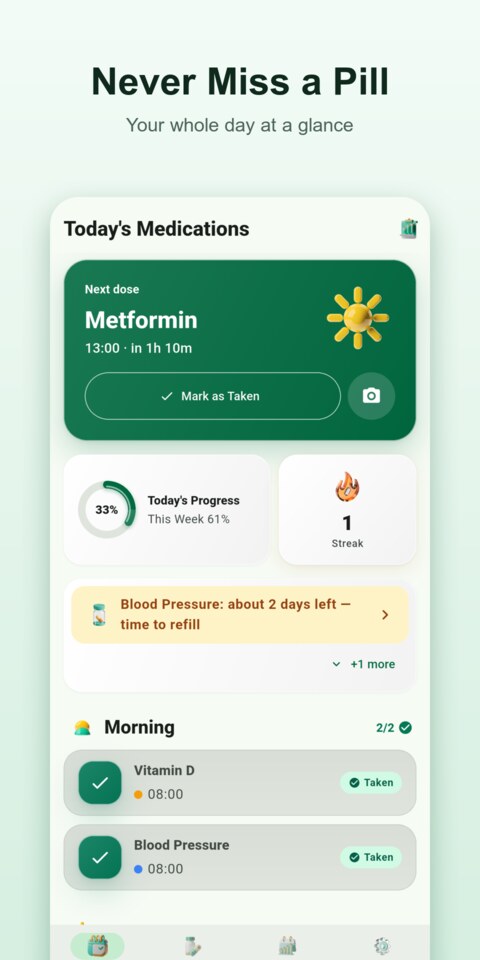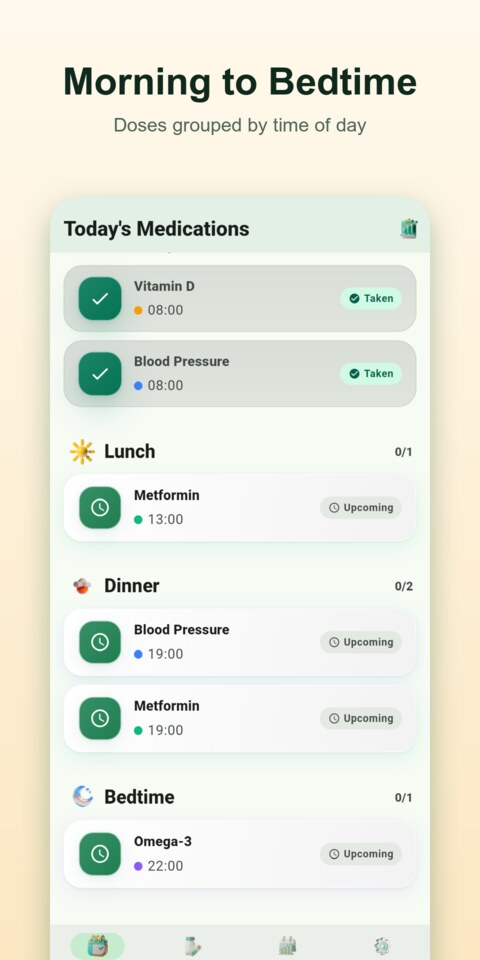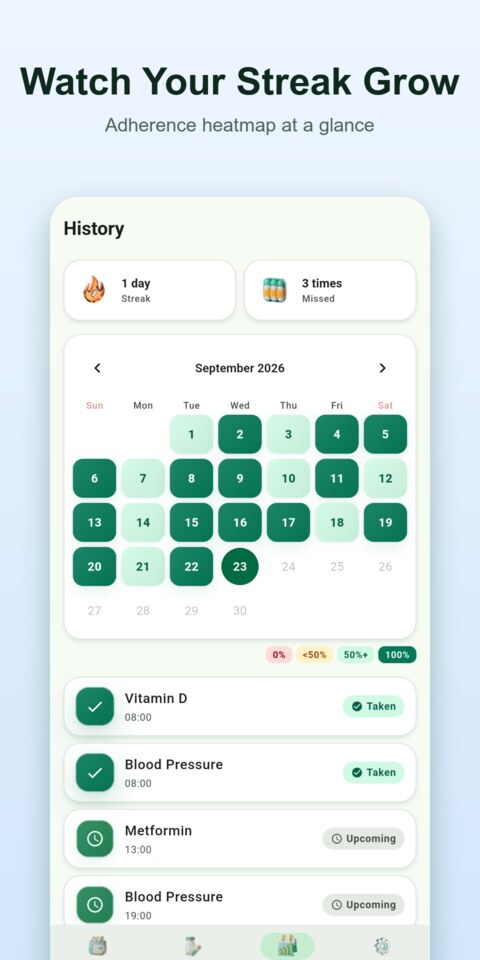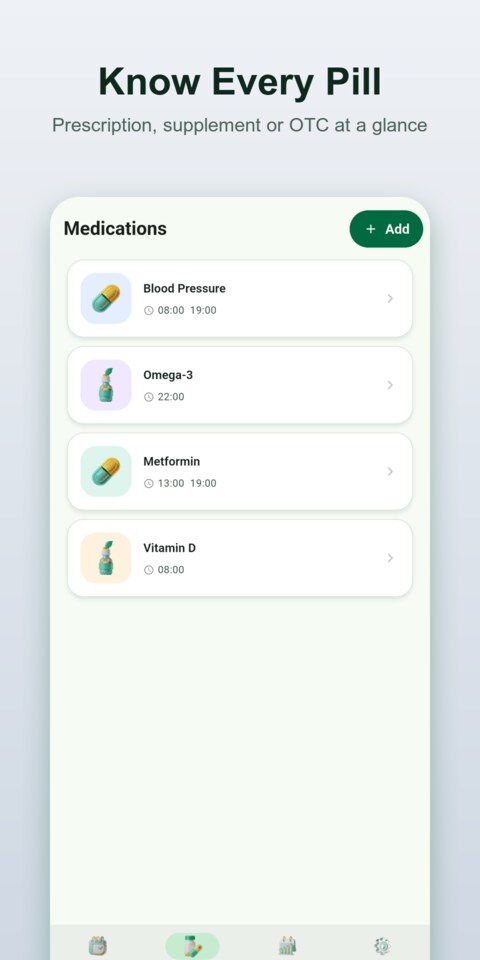
Forgetting a single dose might seem like a small slip, but for millions of people managing chronic conditions, complex prescriptions, or daily supplements, consistency is everything — and missing it can have real consequences for your health. Phill was engineered from the ground up around one powerful insight: the best reminder is one you never have to look for. With Phill's home screen widget, your entire medication schedule lives right on your iPhone or Android home screen, showing your next due dose, the exact time remaining, and today's completion percentage without you ever opening an app. Whether you're managing one daily vitamin or a carefully timed regimen of five different medications across specific days of the week, Phill gives you the clarity, accountability, and intelligent alerts you need to stay healthy — day after day.
Key Features
Live Home Screen Widget
Phill's home screen widget displays your next upcoming medication, the exact time remaining until it's due, today's progress percentage, and a full timeline of all your doses for the day — all without unlocking your phone. Available in small, medium, and large sizes, it lets you log a dose as taken with a single tap directly on the widget surface.
Smart Reminders with Auto Follow-Up
Phill schedules precise timezone-aware local notifications for every medication on its assigned days of the week, with sound and badge alerts on both iOS and Android. If you don't log a dose within 30 minutes of the scheduled time, Phill automatically sends a follow-up reminder so nothing slips through unnoticed.
One-Tap Logging from Notifications
Every reminder includes a Mark Taken action button so you can log a dose with one tap directly from the notification banner without ever opening the app. The exact timestamp of when you actually took it is recorded automatically, keeping your medication history accurate to the minute.
Medication Photos & Color Tags
Attach a photo from your camera or gallery to each medication entry so you can visually confirm you're holding the right bottle before every dose. Assign a unique color tag to each pill for instant visual identification, making even a long medication list easy to scan at a glance.
Consecutive Day Streak Tracker
The home screen displays your current streak of days with perfect adherence alongside today's and this week's overall completion percentages, both updated in real time. A flame icon lights up when your streak is active, giving you the motivational push to keep it going day after day.
Stock Tracking & Prescription Alerts
Log the total and remaining pill count for each medication, and Phill displays a live low-stock warning the moment you drop to 3 doses or fewer. Set a prescription renewal date and Phill reminds you up to 7 days before your next doctor's visit, so you never face a surprise gap in your supply.
Monthly Adherence Reports
The Monthly Report screen shows your adherence percentage as a circular progress ring, a full day-by-day bar chart for the entire month, your total taken and missed dose counts, and which specific days were your best and worst for adherence. Scroll back through any previous month to review your long-term medication history at a glance.
Custom Day-of-Week Schedules
Each medication supports multiple schedules set to specific days of the week — for example, Mon/Wed/Fri only, or weekdays only — with individual enable and disable toggles per schedule. This makes Phill equally effective for daily medications, intermittent prescriptions, and weekly supplements.
How It Works
1
Add Your Medications — Tap the plus button on the Medications screen to create a new entry for each pill, supplement, or vitamin in your routine. Name it, photograph it, choose a color, add an optional personal memo, enter your current stock count, and set a prescription renewal date — the entire setup takes under 60 seconds per medication.
2
Set Schedules and Get Reminded — For each medication, create one or more time-based schedules and select which specific days of the week they apply. Phill sends a timezone-accurate push notification at each scheduled time, plus an automatic 30-minute follow-up if the dose has not been logged, complete with a one-tap Mark Taken action right on the notification banner.
3
Track Progress and Review Your Month — Open the home screen any time to check your daily and weekly progress rings and your current consecutive day streak. Visit the History screen to browse a calendar view of every past dose, or tap the chart icon to open the Monthly Report for a complete breakdown of your adherence by day, dose count, and best and worst performance days.
What Users Say
I take four different medications at three different times each day, and before Phill I was constantly second-guessing whether I'd taken my afternoon dose. The home screen widget is genuinely brilliant — I can see exactly what's next and how many minutes away it is without even picking up my phone. The automatic 30-minute follow-up reminder saved me twice last week when I got pulled into back-to-back meetings and forgot to log. This app has changed my daily health routine in the best possible way.
— Margaret T., Chronic Illness Patient
I set Phill up for my elderly father who lives alone and manages five different prescriptions. The medication photo feature was the detail that convinced me — he can compare each bottle to the photo on screen and confirm he has the right one before taking anything. The color tags make his medication list so easy to scan that he checks it himself every morning without calling me. I feel so much better knowing he has this level of visual safety built into his daily routine.
— Daniel K., Family Caregiver
The stock tracking alert is something I didn't realize I needed until it actually saved me. I received the low-stock warning for my blood pressure medication on a Thursday with exactly 3 doses left — enough time to call my pharmacy well before the weekend. The consecutive day streak feature is also surprisingly motivating; I'm at 47 days now and genuinely don't want to break it. If you manage any kind of ongoing medication routine, Phill is worth every second it takes to configure.
— Sarah L., Marketing Manager