When disaster strikes, every second counts. Alarmy — Disaster Alerts is the app that keeps you and your loved ones informed, prepared, and safe by delivering real-time emergency alerts directly to your device before danger reaches your doorstep. Whether it's earthquakes, floods, wildfires, typhoons, or public safety incidents, Alarmy monitors official disaster channels around the clock and pushes instant notifications so you're never caught off guard. Built by MintSoft, Alarmy combines a powerful live feed, intelligent regional filtering, and a groundbreaking on-device AI assistant to turn raw emergency data into clear, actionable guidance — even when you're offline.
Key Features
Real-Time Disaster Feed
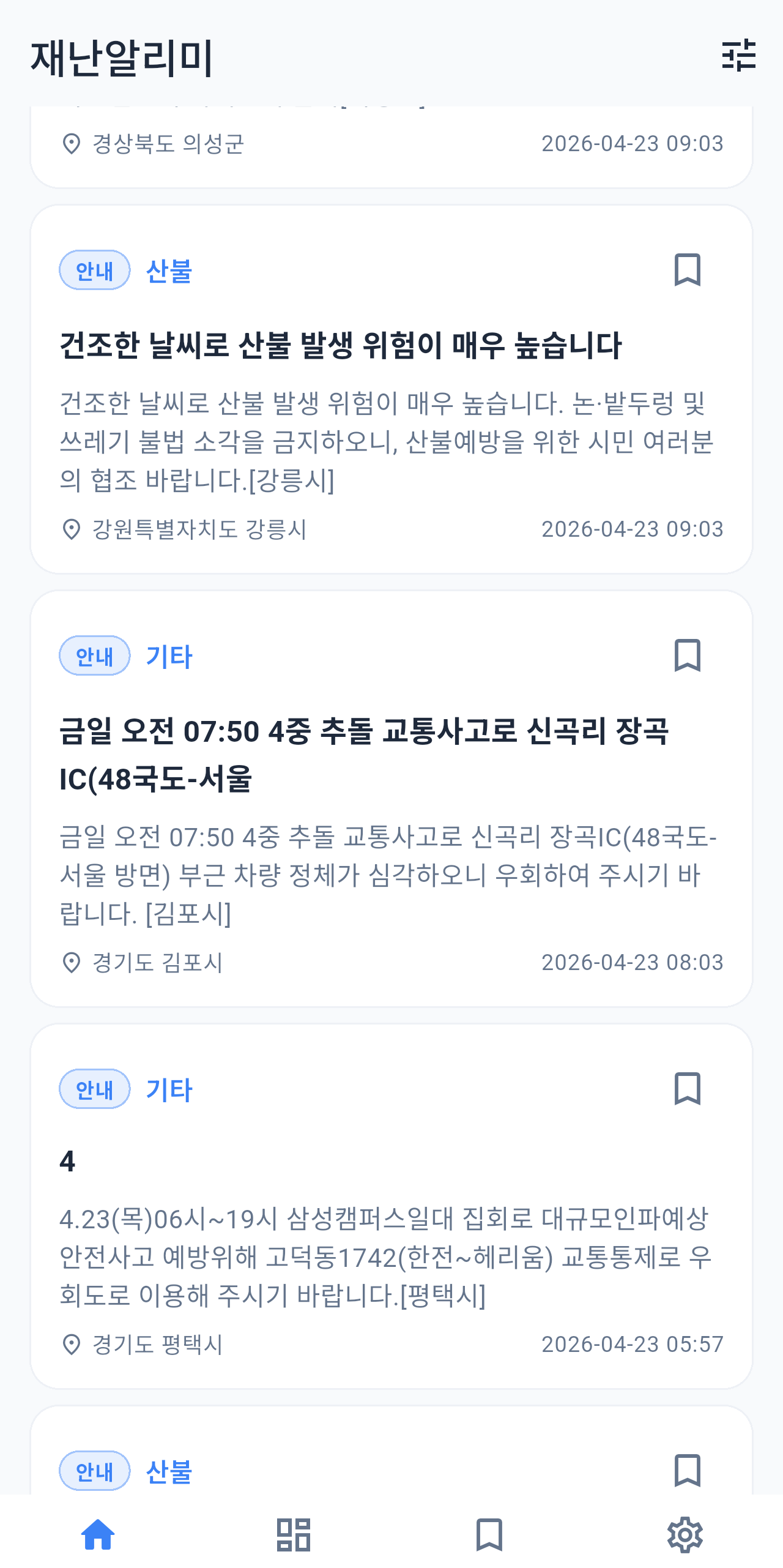
Alarmy continuously pulls the latest emergency and disaster alerts from authoritative sources and displays them in a clean, chronological feed. Each entry includes the incident type, affected area, severity level, and time of issue, so you always know what's happening right now.
Regional Dashboard & Map Overview
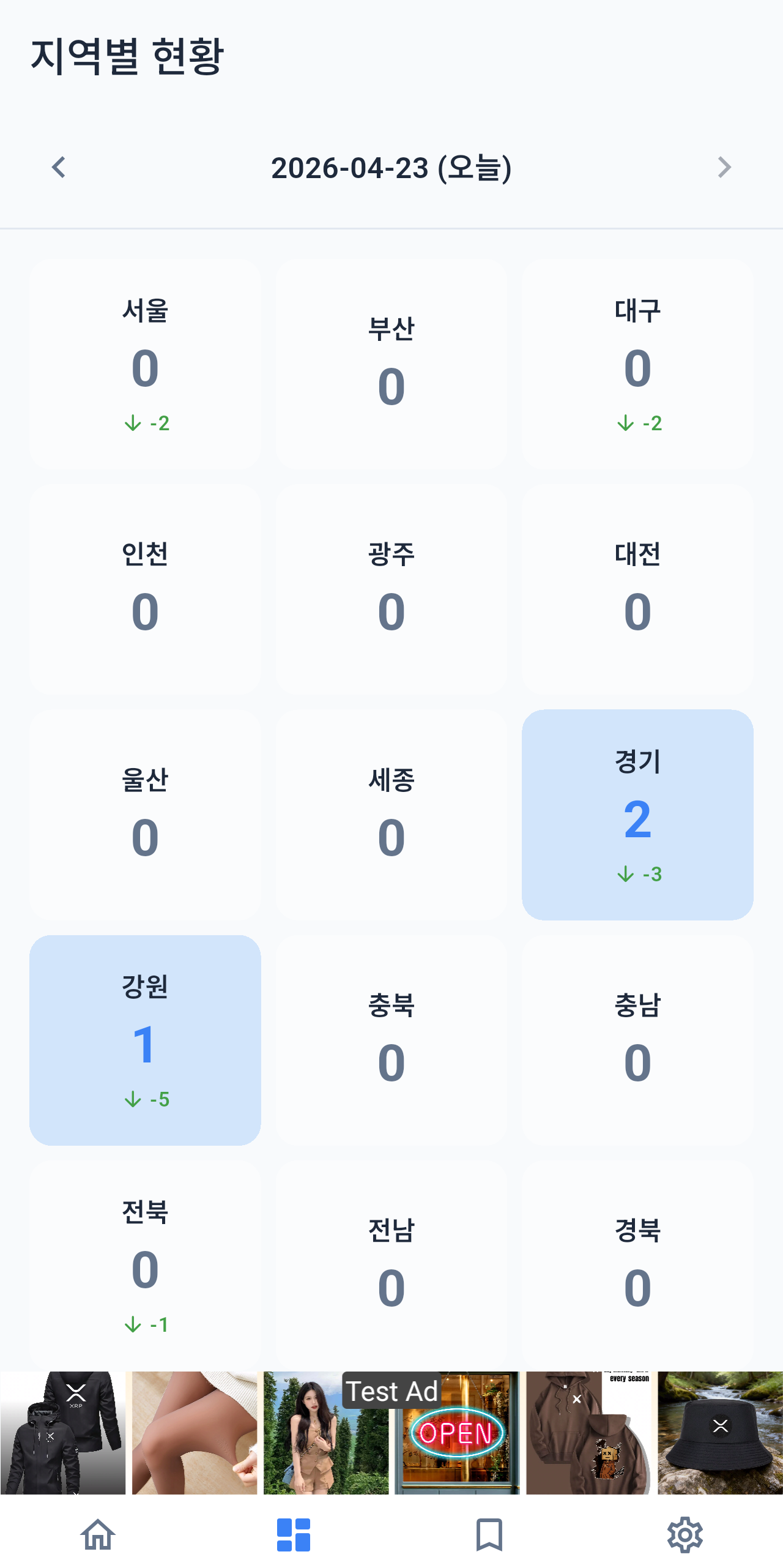
The interactive dashboard gives you an at-a-glance visual breakdown of active disasters organized by region, letting you assess risk across the entire country in seconds. Tap any region card to drill down into a dedicated regional view showing every active and recent alert for that area.
Granular Region Filtering
Use the advanced filter screen to narrow alerts by province or city (sido/sigungu codes), disaster category, and date range so the feed shows only what matters to you. Save your preferred filter settings and Alarmy will remember them across sessions using local persistent storage.
Bookmarked Alerts
Mark any disaster report as a bookmark with a single tap to create your own personal watchlist of ongoing incidents. The dedicated Bookmark screen keeps all your saved alerts organized and accessible offline through the local SQLite database, even when network connectivity is unavailable.
On-Device AI Assistant (Gemma 4)
Alarmy embeds Google's Gemma 4 language model directly on your device so you can ask natural-language questions about any disaster — "Is it safe to drive through downtown?" or "What should I prepare for a Category 3 typhoon?" — and receive streaming, markdown-formatted answers entirely on-device with zero cloud latency and complete privacy.
Smart Push Notifications & Background Monitoring
Firebase Cloud Messaging and WorkManager work in tandem to monitor disaster channels in the background, even when the app is closed, and deliver critical alerts as rich push notifications the moment they are issued. Local notifications ensure time-sensitive alarms surface immediately regardless of your network state.
Home Screen Widget
Place Alarmy's live-updating widget on your home screen for at-a-glance situational awareness without ever opening the app. The widget refreshes automatically and shows the most recent alert summary and regional status so critical information is always one glance away.
Disaster Search
Instantly search the full historical and live alert database by keyword, location, or incident type using the built-in search screen. Results appear in real time with highlighted matches, making it easy to research a specific event or cross-check an alert you heard about from another source.
How It Works
1
Set Your Regions — On first launch, open the Filter screen and select the provinces and cities you care about most — your home, workplace, or anywhere family members live. Alarmy stores your regional preferences locally and immediately tailors both the feed and push notifications to show only the areas you've chosen, cutting through national noise to surface what's personally relevant.
2
Stay Informed in Real Time — Alarmy's background service continuously checks official disaster channels and, the moment a new alert is issued for your selected regions, pushes a notification straight to your lock screen. Open the alert to read the full incident details, view it on the regional dashboard, or ask the on-device AI assistant for safety advice — all within the same seamless flow.
3
Get AI-Powered Safety Guidance — Tap the AI tab to open the Gemma-powered chat assistant and ask any question about the current disaster situation in plain language. The model runs entirely on your device using on-device inference (with an automatic RAM check to ensure smooth performance), streams its response in real time with rich markdown formatting, and requires no internet connection — giving you expert-level guidance when the network is unreliable or congested during an emergency.
What Users Say
I live in a coastal area that regularly faces typhoon warnings and Alarmy has completely changed how my family prepares. The regional filter means I only get alerts for my prefecture, not the entire country, so I actually read every notification instead of dismissing them. When Typhoon Khanun was approaching last year, the AI assistant gave me a clear checklist of what to stock and which evacuation routes to avoid — I've never felt more prepared.
— Sarah K., Elementary School Principal
As someone who commutes two hours each way through several prefectures, I used to miss critical road and rail closures because alert apps were too broad or too slow. Alarmy's multi-region filter lets me monitor every area along my commute simultaneously, and the home screen widget shows the latest alert the moment I unlock my phone in the morning. The bookmark feature is brilliant — I save developing situations and check back on them throughout the day without losing my place in the feed.
— James T., Senior Civil Engineer
The on-device AI is what sets Alarmy apart from every other disaster app I've tried. During a flood warning last spring, my mobile data was completely congested and every other app was useless — but Alarmy's Gemma assistant still answered my questions about safe shelter locations and what to do with my car, all offline. Knowing that critical safety advice doesn't depend on a server somewhere gave me genuine peace of mind when I needed it most.
— Maria L., Emergency Response Volunteer